Wing It Advanced Wing Design
Shape lift, pitch authority, and engine mounts so your hangar builds fly instead of cartwheel.
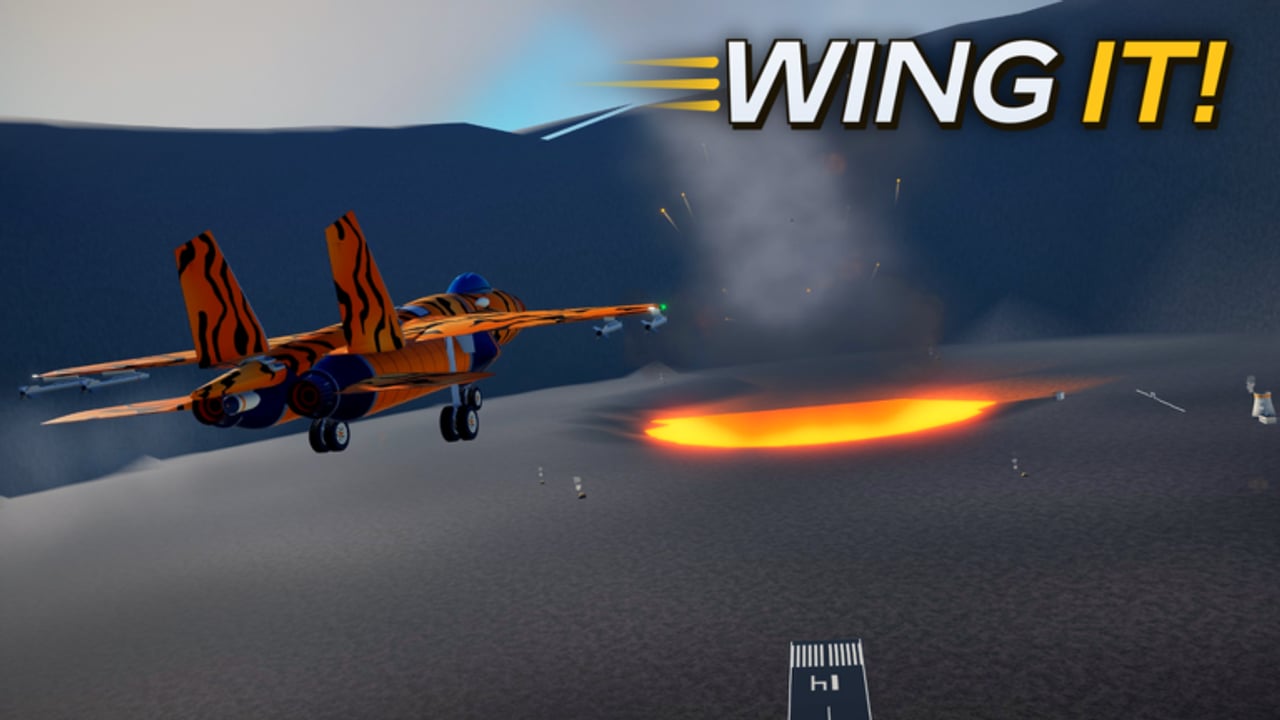
Pretty skins do not fix bad lift. This Advanced Wing Design guide focuses on the hangar choices that decide whether a Wing It airframe climbs, trims, and lands — or becomes crater art. You will learn normal wings versus tailplane elevators, how adjustable intake nacelles carry engines cleanly, and how to study community layouts such as catalogue code QL-RTY7-2K. Cross-link with Cargo Planes for hauler priorities, Catalog Codes for import workflow, and Best Planes for role targets.
Design mindset: mission before silhouette
Wing It! by catIoaf is a KSP-inspired Roblox builder. Every part has mass, drag, and a job. Start every session by naming the mission:
- Money freighter
- Flagship bomber
- Agile interceptor
- SSTO / moon experiment
Then pick wing area, control surfaces, and engine mounts to match. Copying a cool delta without a mission usually produces a brick that porpoises on final. Rank roles on Best Planes before you spend an hour on paint.
Normal wings vs tailplane elevators
Community builders (including the popular bomber study layout) draw a hard line:
- Normal wings — Primary lift surfaces and most of the planform. Use them for the main wing, strakes, and non-elevator structure.
- Tailplane elevators — Dedicated pitch control. Elevators belong on a tailplane, not as random scraps glued to the main wing unless you are deliberately testing canards.
Why the split matters:
- Pitch authority — Undersized or mis-typed elevators make flare and go-around miserable on cargo and Eye of the Storm landings.
- Trim stability — Mixing elevator parts into the main wing can create odd moments and pilot-induced oscillation.
- Repair clarity — When something breaks after a hard landing, you know whether lift or pitch failed.
Rule of thumb from study craft: everything that is not an elevator is a normal wing; elevators are a tailplane. Internalize that before you invent exotic layouts.
Canards and blended designs are advanced electives. Prove a conventional layout first, then experiment with saves you can roll back.
Adjustable intake nacelles for engines
Engines need clean airflow and sane thrust lines. Creators who share stable bombers repeatedly describe mounting engines on adjustable intake nacelles:
- Nacelles let you place thrust without fighting fuselage geometry.
- Adjustable mounts help align intakes and exhaust for the flight regime you care about.
- Symmetric pairs reduce yaw drama on takeoff — critical for heavy Cargo Planes.
Build checklist for nacelles:
- Place left/right pairs mirrored.
- Keep thrust close to the centerline while learning; offset pods teach advanced yaw later.
- Confirm nothing clips gear or control surfaces through the full pitch range.
- Test spool and climb empty before you hang bombs or cargo mass.
Asymmetric single-engine experiments are fine after you can land a twin without drama.
Study code: QL-RTY7-2K
QL-RTY7-2K is a community catalogue bomber used in Flying Wing / flagship guides. Search it in the hangar catalogue — it does not grant free cash. Workflow:
- Open the catalogue search (Catalog Codes, How to Redeem).
- Paste or type
QL-RTY7-2K. - Import a copy into your hangar.
- Inspect: engines on adjustable intake nacelles, normal wings for non-elevator surfaces, tailplane elevators.
- Fly empty, then arm for Flagship Bosses practice.
Use the code as a teacher, not a permanent crutch. Rebuild the lessons into your own named files so patches and personal taste stay under your control.
Lift, area, and landing gear
Wing design is not only planform art:
- Area vs speed — More wing helps heavy freighters; excess area can feel mushy on interceptors.
- Dihedral / anhedral — Small dihedral aids roll stability for learners; extreme angles fight you.
- Gear track — Wide enough for cargo crosswinds; too narrow and every landing is a tip-over tax.
- CG — Fuel and payload shifts matter. If the nose porpoises only when loaded, fix CG before blaming elevators.
Practice landings with the checklist from Controls. A beautiful wing that cannot flare is a museum piece.
Role-specific wing notes
Cargo
Prioritize lift, docile stall, and gear. Flares beat vanity hardpoints early (Cargo Planes). Keep elevators authoritative for heavy finals.
Bomber / flagship
Need hardpoints, airbrakes, and enough wing to lift ordnance without mushing into the target. Study QL-RTY7-2K, then adapt. Rear approaches with brakes are easier when the airframe trims stable (Flagship Bosses).
Fighter
Less area, stronger roll, quick pitch — but still enough elevator to recover. Pair with missile literacy (L arm / Y fire) and flares from the Avoid SAMs and Missiles guide.
SSTO / moon
Think fuel fraction and control in thin air. Oversized drag wings punish transfer burns toward Moon Landing. Save experimental SSTOs separately from the money plane.
Watch the advanced wing shape tutorial
The embedded video is an advanced wing shape walkthrough for Wing It. Pause on part types (normal wing vs tailplane) and nacelle placement. Rebuild one idea per hangar session instead of copying the entire craft blind.
Iteration loop (steal this)
- Name the mission and role tier target.
- Block out fuselage, main normal wings, tailplane elevators, nacelles.
- Add gear, fuel, then weapons last.
- Test hop: takeoff, 500 m circuit, full-stop landing.
- Change one variable (elevator size, nacelle station, wing area).
- Save a named version before the next experiment.
This loop beats random catalogue hopping and keeps Career money flowing via cargo between experiments. Roblox Plus (+20% money) helps the budget; unverified promo codes still do not (Codes Hub).
Common wing design mistakes
- Elevators built as normal wings (or the reverse)
- Engines glued without nacelle alignment
- Copying
QL-RTY7-2Kpaint without learning the structure - Giant wings on a dogfighter “for lift”
- Tiny elevators on a moon lander
- Editing the only money plane without a backup save
Related pages
Cargo Planes · Catalog Codes · Best Planes · Controls · Flagship Bosses · Avoid SAMs and Missiles · Guides Hub · Wiki Links
Shape the wing for the job, mount engines like you mean it, and let the catalogue teach — then graduate to designs with your name on the file tab.
Frequently Asked Questions
Quick answers to the most common Wing It questions.
Should elevators be normal wings or tailplanes?
Community best practice: elevators on a tailplane; use normal wings for the rest of the lift surfaces.
What are adjustable intake nacelles for?
They mount engines with cleaner intake/thrust alignment than gluing motors straight to a random fuselage face.
What is catalog code QL-RTY7-2K?
A shared bomber layout for study — search it in the hangar catalogue via Catalog Codes. It is not free money.
Can I use the same wing design for cargo and dogfighting?
You can compromise, but dedicated roles fly better. Rank needs on Best Planes and keep a money freighter safe.
Where do I learn hangar import steps?
Follow Catalog Codes and How to Redeem for paste-and-search workflow.