Wing It Getting Started Guide
Your first-hour checklist from hangar spawn to a profitable cargo loop.
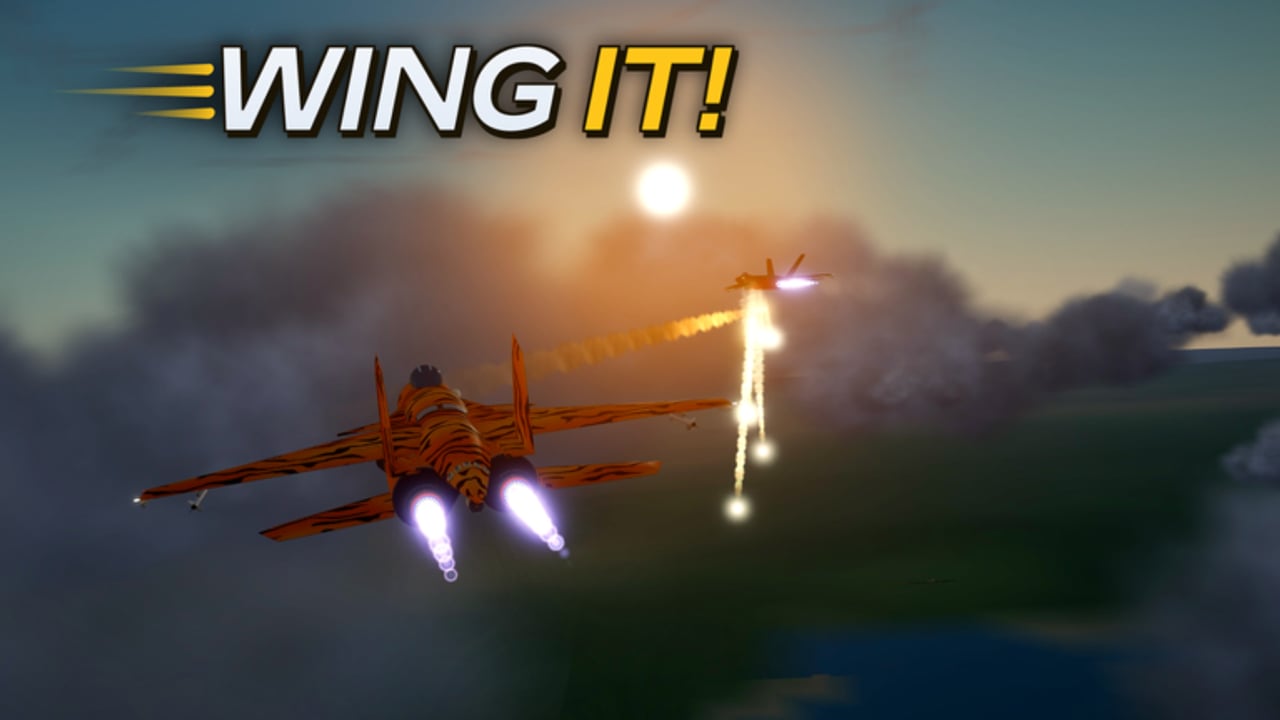
Welcome to Wing It! on Roblox — the listing you will see as [SSTO + WEAPONS] Wing It! by catIoaf. You are Q Labs’ underpaid engineer, test pilot, and delivery person. This getting-started guide turns that joke into a plan: learn the hangar, leave the runway alive, earn money with cargo, unlock parts, and only then chase fighters, Board flagships, Eye of the Storm promotions, and the moon.
What kind of game this is
Wing It is a physics sim heavily inspired by Kerbal Space Program thinking. Wings stall. Engines need thoughtful placement. Bad landings cartwheel. The difference is the Roblox loop layered on top: cargo contracts, rival combat with guns, missiles, and flares, career ranks, catalog share codes, and prestige goals like the Moonbeam laser and Moth unlock after a moon landing. Servers hold about 20 players on the live place listing, so expect traffic.
If you came looking for a simple tycoon button, slow down. The fun is rebuilding after a failure without rage-deleting your only money plane.
First 15 minutes
- Open the hangar and note Career tabs, catalogue search, and your starter airframe.
- Read Controls or open the in-game bind list — know throttle, pitch, yaw, roll, camera, and weapon keys before you invent a custom fighter.
- Do a pattern flight: take off, gentle turns, landing. Abort if the approach is ugly. Go-arounds are free; rebuilds are not.
- Resist the urge to bolt every unlocked gun onto a trainer wing. Mass and drag punish greed.
- Bookmark this wiki’s Guides Hub so mid-flight questions have a home.
Money first, glory second
Early career ranks move when you complete jobs and challenges, not when you meme into a flagship. Follow the cargo path in Cargo Planes:
- Stable wing loading
- Enough fuel for the contract distance plus reserves
- Landing gear that survives imperfect touchdowns
- Clear sight lines for runway alignment
Roblox Plus adds +20% money earned. That is the legitimate progress boost. Ignore random “Wing It codes” screenshots until they appear on our Codes Hub — as of November 2026 there is no verified traditional promo list. What you can use immediately are catalog share codes. Search community designs in the hangar catalogue; a known bomber study code is QL-RTY7-2K. Details live on Catalog Codes and How to Redeem.
Build philosophy for beginners
Think in roles from the Tier List Hub and Best Planes:
| Role | Beginner use |
|---|---|
| Starter trainer | Learn stalls and landings |
| Cargo hauler | Fund unlocks |
| Fighter | Escort and rival defense |
| Bomber | Board’s QFO / Flying Wing |
| SSTO | High-altitude bridge |
| Moon rocket | Transfer and landing stack |
Clone a trainer or hauler before you invent an original SSTO. Change one variable at a time: wing area, then engines, then fuel. If the plane porpoises on landing, fix gear and approach speed before adding missiles.
Combat onboarding (when you are ready)
Rivals will shoot. Fit flares before you fit ego. Practice guns on empty sky, then engage. When ATC mentions a big object with no transponder, a boss flagship may be up — check Career → bosses and read Flagship Bosses before you charge shields alone in a cargo brick.
Save Eye of the Storm for when landings feel boring. That approach is a promotion gate for many pilots; weather and energy management punish rusty flareouts.
Path to the moon (long horizon)
Do not schedule a moon shot on day one. Unlock parts, practice SSTO climbs, then follow Moon Landing for transfer and touchdown discipline. The Moonbeam laser is a late combat toy that needs structure and power budget. Moth unlock chatter belongs after you can land without wasting the entire fuel margin.
Scripts and account safety
You will see Auto Fire, Auto Missile, Auto Flares, Auto Job, Silent Aim, infinite ammo, No Spool, and Auto Dodge advertised for Wing It. Read the Scripts Hub disclaimer: executors can ban your account. This beginner guide assumes fair play. Skill and catalog study beat a loadstring that breaks after the next patch.
Session template you can repeat
- Warm-up circuit in the trainer.
- Two to four cargo contracts.
- One experimental hangar edit (single change).
- Optional rival skirmish or boss scout.
- Park the money plane; never leave it as the active crash magnet overnight.
Related pages
- Players Hub and Career Ranks
- Updates Hub after patches
- Wiki Links for the official place (universe
10769282317)
Stick to this order and Wing It’s chaos becomes a craft. Skip it and you will own a beautiful wreck pile with empty pockets.
Frequently Asked Questions
Quick answers to the most common Wing It questions.
Is Wing It free to play?
Yes. The Roblox experience is free. Roblox Plus optionally adds +20% money earned.
What should I unlock first?
Prioritize reliability parts for cargo and landing gear before exotic weapons. See Cargo Planes and Best Planes.
Are there beginner promo codes?
No verified traditional promo codes are listed as of November 2026. Use catalog share codes for designs via Catalog Codes.
When should I try the moon?
After stable SSTO practice and healthy cash reserves. Follow Moon Landing rather than jumping from a trainer.
Who made Wing It?
Developer catIoaf. Play on the official Roblox place linked from Wiki Links.